


The laws of UX that explain why your site doesn't convert.
We access dozens of websites every day.
On some sites, we feel lost, mistreated, or abandoned because we couldn’t find the button, we didn’t understand what to do, and we closed the tab in silent frustration.
Others, on the other hand, flow. We felt at home. We buy without thinking or sign up in seconds. Everything “just works”.


Image from Laws of UX https://lawsofux.com/es/cards/
While the creativity and talent of the designer play a very important role in this experience, there is also a less romantic and quite interesting truth: Good design is not improvised: it obeys laws. Psychological laws, laws of human behavior, laws that explain how we think, decide and even how we make mistakes.
Designing an interface is not decorating a screen. It's strategic thinking and decisions that aren't left to chance.
The secret psychology behind every design

The human mind does not perceive visual elements in isolation, but rather seeks coherent patterns, symmetries and structures to make sense of the world. This is how it works outside and also in front of a screen.
Las Gestalt laws explain just that: how we visually organize information almost without realizing it. That's why the user doesn't “read” an interface, he interprets it in milliseconds:
Before thinking, he decided.
And therein lies the key to UX: design organizes. When everything has structure, experience flows; when there is noise, the brain gets tired. The user doesn't have to decipher an interface.
A click is not only influenced by aesthetics
Think about when you're browsing a web page from your cell phone, tablet or computer...
If the “buy” button is far away, small or hidden, your finger hesitates. If it's big, it stands out, and it's obvious, you click effortlessly.
It's not laziness. It's biology.
Fitts's Law explains that the bigger and more accessible a goal is, the faster we achieve it. 'Tactile lenses must be large enough for users to select them precisely. ' Therefore, important buttons grow and critical menus are within reach of the thumb, and this translates into mental ergonomics.
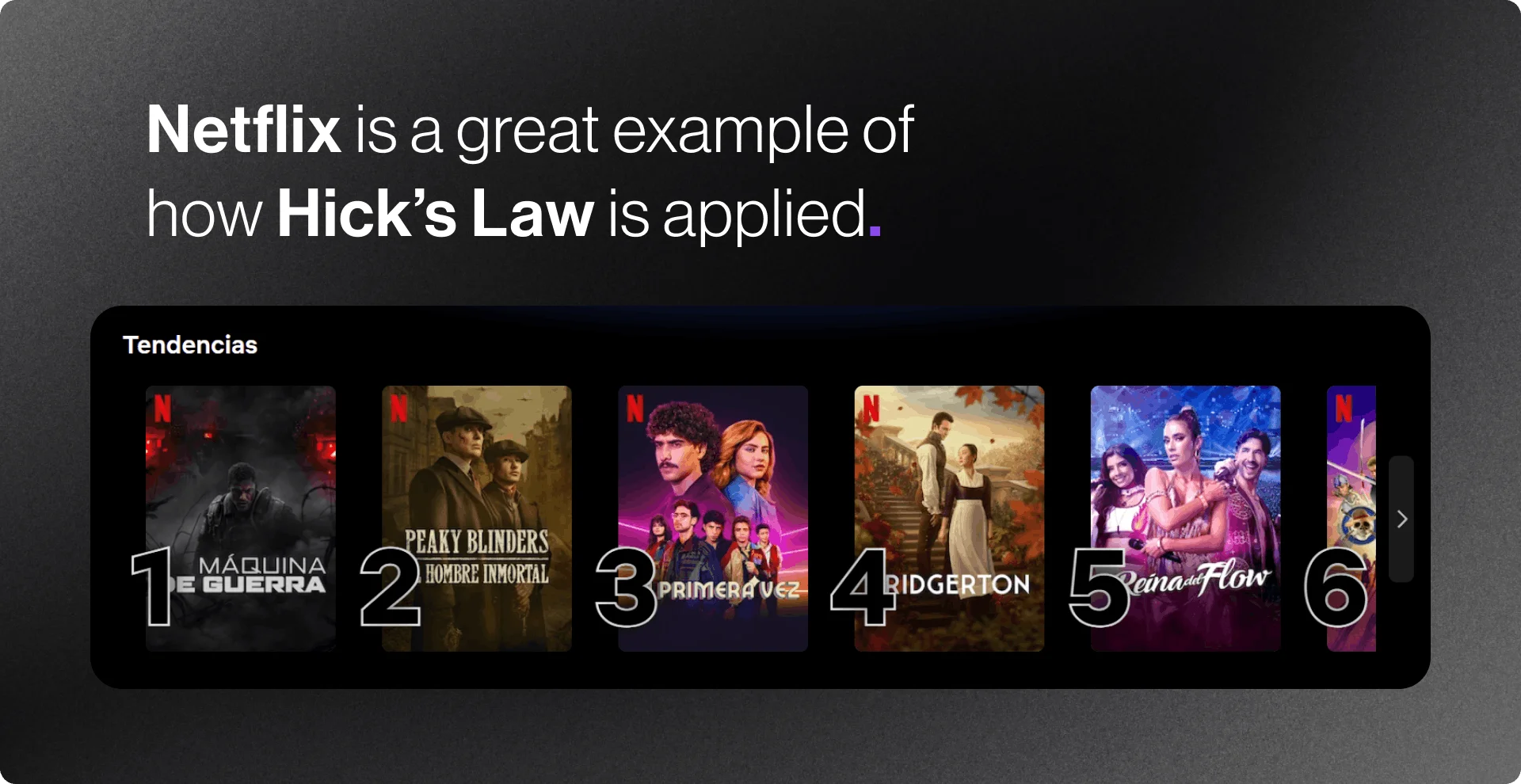
Having options to make a decision is important. However, when you have twenty actions, thirty filters or fifty categories... the brain blocks.
La Hick's Law cruelly sums it up: The time it takes to make a decision increases with the number and complexity of the options. In other words:
More options = more time to decide = more abandonment.
Think, for example, of Netflix, which shows you its “Top 10” in entertainment, or Amazon, which summarizes your search and generates recommendations instantly. Bottom line: good interfaces edit for you.
This means that users prefer their site to work the same way as all the other sites they already know. And this is where the Jakob's Law It is present: we want to solve something quickly and what is known makes the experience easier.
If all the websites have the little house in their iconography, don't change it. Not because it's forbidden, but because you force the brain to relearn. And every extra second is friction. And friction kills conversions.
We like to believe that we are multitaskers, but the Miller's Law reminds us that we only retain a few elements at a time: The average person can only keep approximately 7 elements in their working memory; that's why good experiences group, hide, simplify. They don't reduce information for aesthetics; they reduce it to alleviate cognitive load.
In short: when an interface respects how we perceive, remember and decide, everything feels easy. However, understanding is not enough. Also important is the speed, time and energy that each action requires of us. So in a second part, we'll explain how speed, decision load and attention influence user experience and conversions, with a case study applied by 3Pi.
.webp)

.svg)


.svg)
.svg)

.svg)


